ResearchUpdated
How we solved GPT Images 2 grime effect inside plnty

- Research
- Image
- Art direction
- Workflow
We analyzed 37,708 GPT Image 2 and 2.5 outputs from 982 people. A small two-pixel pattern kept appearing with the same orientation. It gave us something precise to test before attempting a broader cleanup.
The diagram amplifies that pattern. Its visibility here is deliberate; in an original image the signal is much fainter.
Reconstructed pattern · contrast amplified
Normalized representative cell
of the GPT sample shared the same global sign orientation.
This measures recurrence of the signal, not incidence of visible grain.
 Original
 plnty cleanup
Loading comparison…Image could not load. Open its PNG under Inspect files.
Loading comparison…Image could not load. Open its PNG under Inspect files.
Inspect files 100% view & native PNGs
Complete saved prototype result, including its finishing stages; this is not a surface-only comparison. No surface mask was found. Optional detail repairs are shown separately.
Close-ups use 16:9 windows around matching detail locations, widened with surrounding source pixels and shifted inward at image edges. Reconstruction can move or redraw details; these views are not registered.
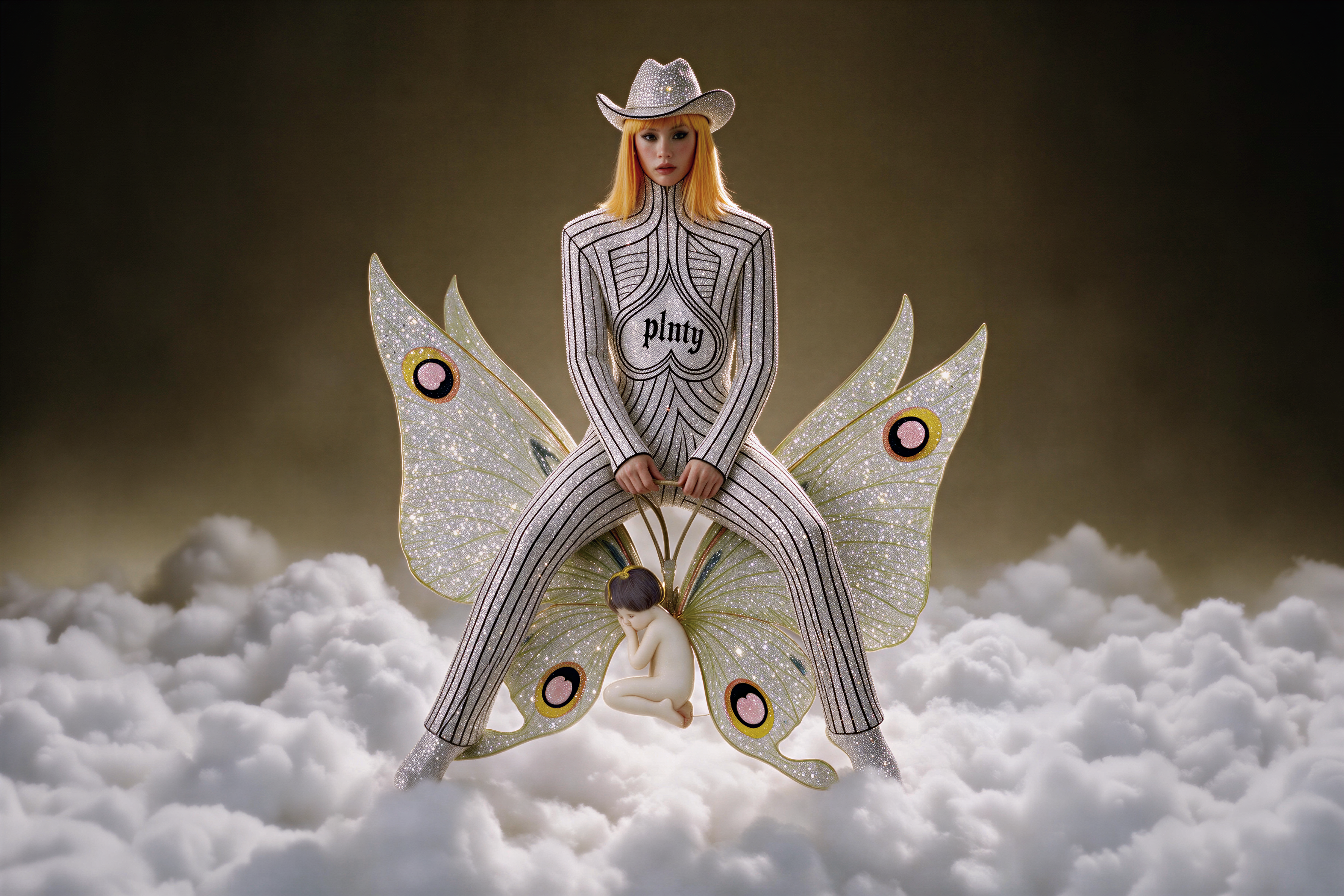 Original
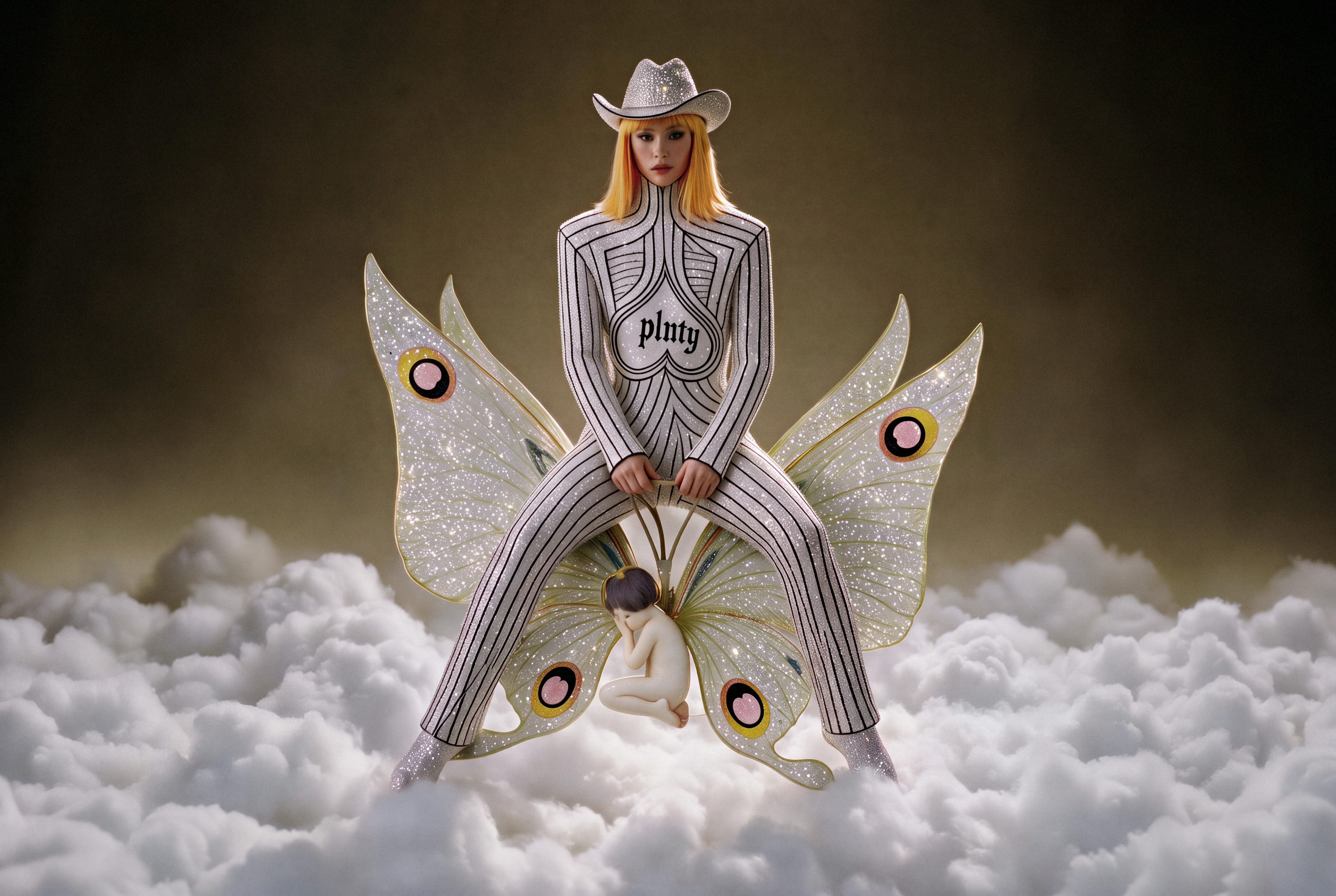 plnty cleanup
Loading comparison…Image could not load. Open its PNG under Inspect files.
Loading comparison…Image could not load. Open its PNG under Inspect files.
Inspect files 100% view & native PNGs
Complete saved prototype result, including its finishing stages; this is not a surface-only comparison. No surface mask was found. This result includes light grain and no optional detail repairs.
Close-ups use 16:9 windows around matching detail locations, widened with surrounding source pixels and shifted inward at image edges. Reconstruction can move or redraw details; these views are not registered.
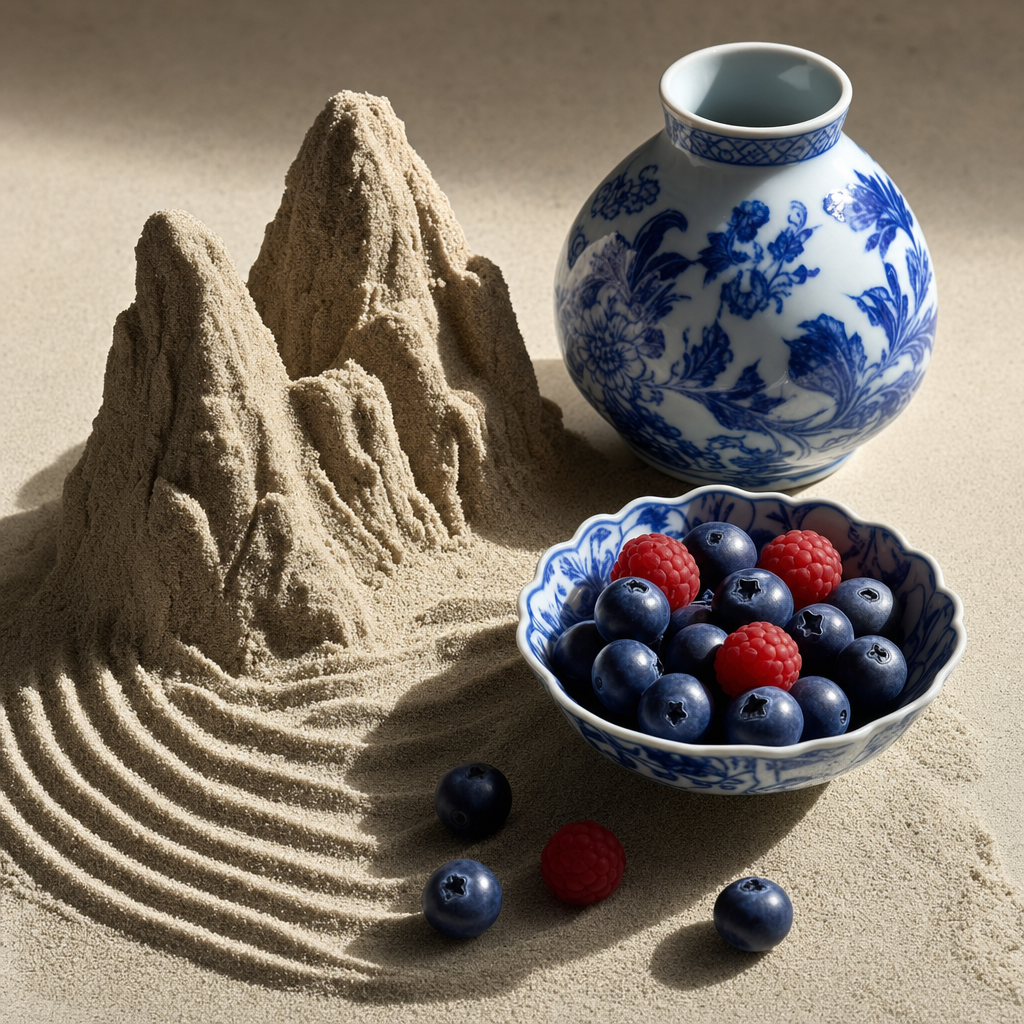 Original
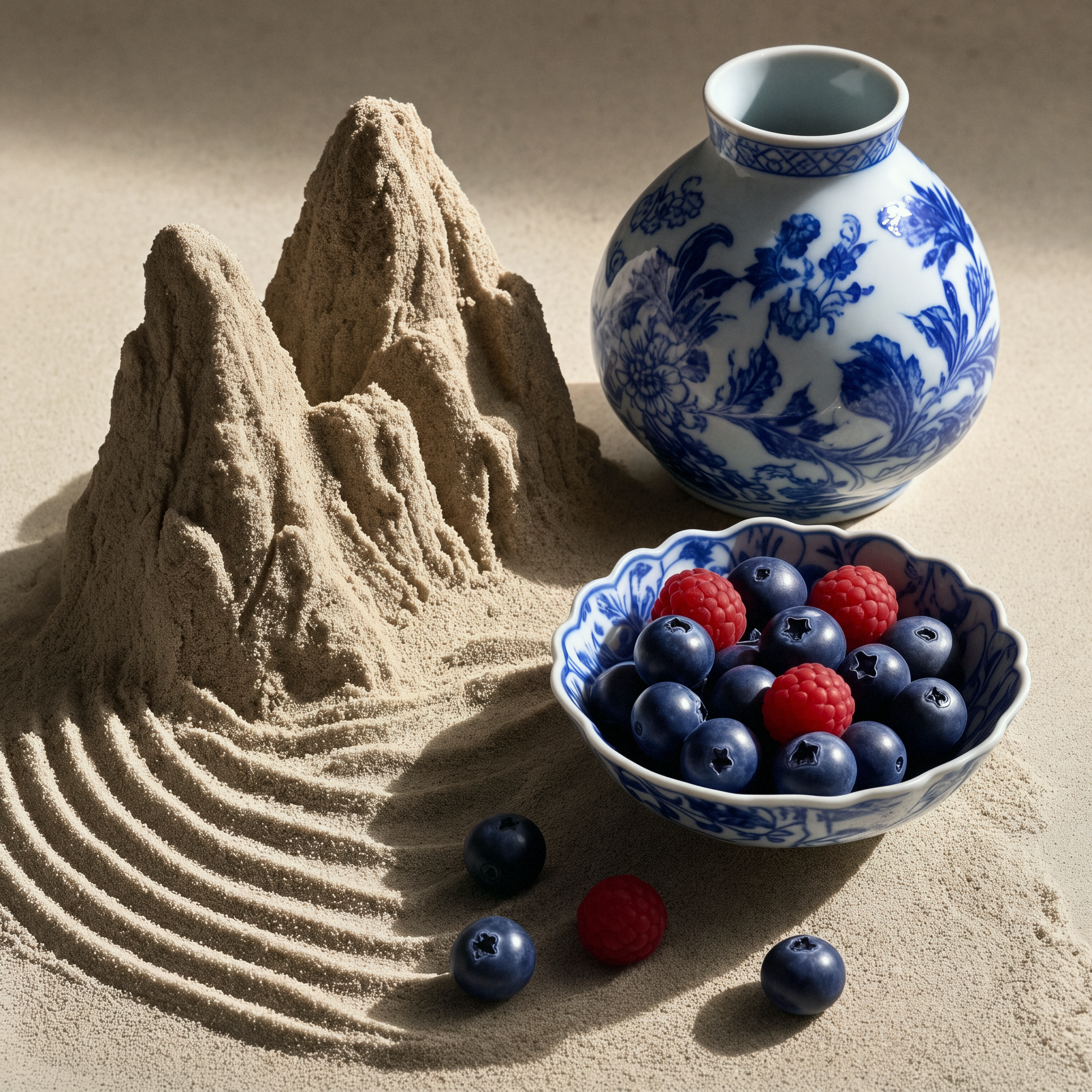 plnty cleanup
Loading comparison…Image could not load. Open its PNG under Inspect files.
Loading comparison…Image could not load. Open its PNG under Inspect files.
Inspect files 100% view & native PNGs
Complete saved prototype result, including its finishing stages; this is not a surface-only comparison. No smooth surface was selected. The final includes light grain.
Close-ups use 16:9 windows around matching detail locations, widened with surrounding source pixels and shifted inward at image edges. Reconstruction can move or redraw details; these views are not registered.
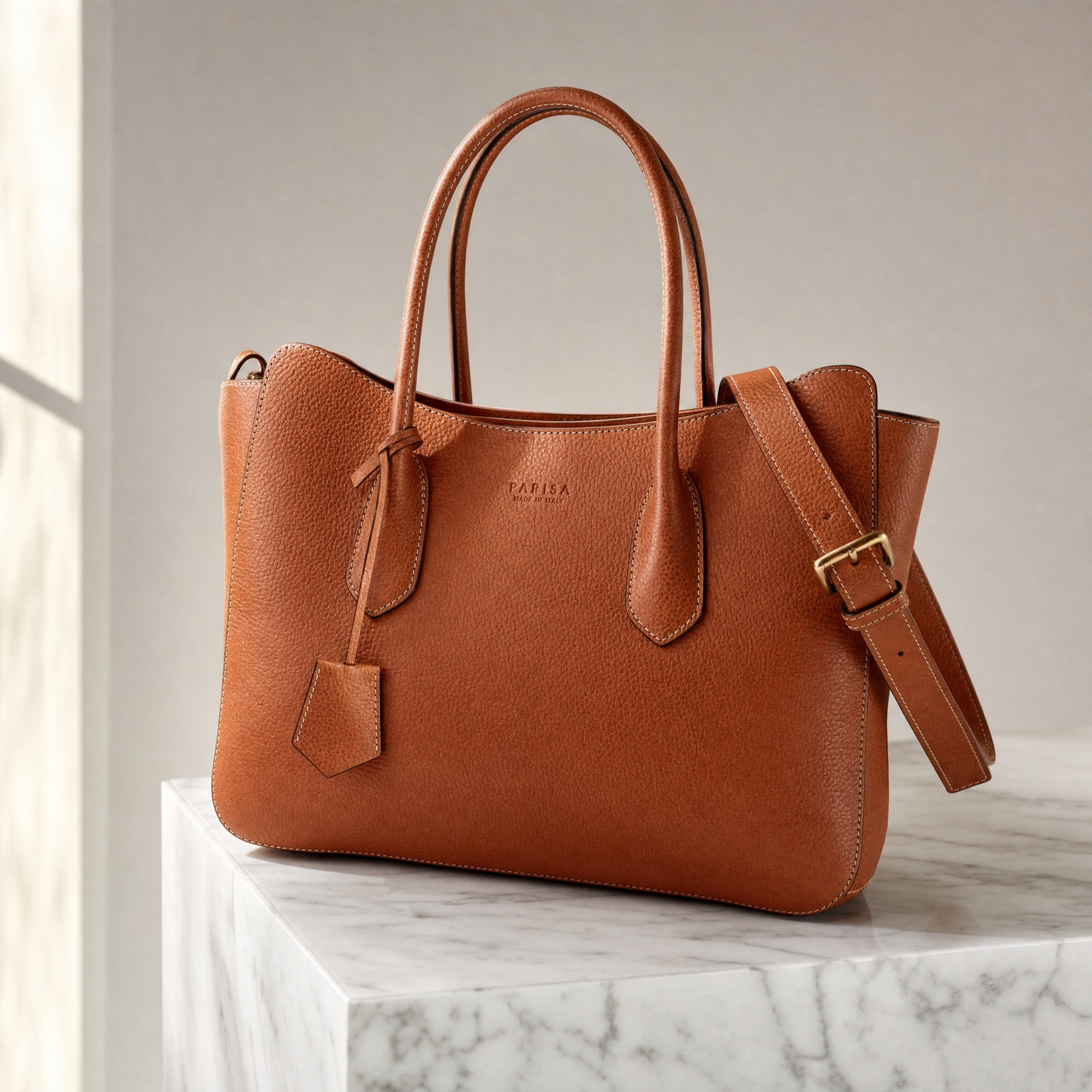 Original
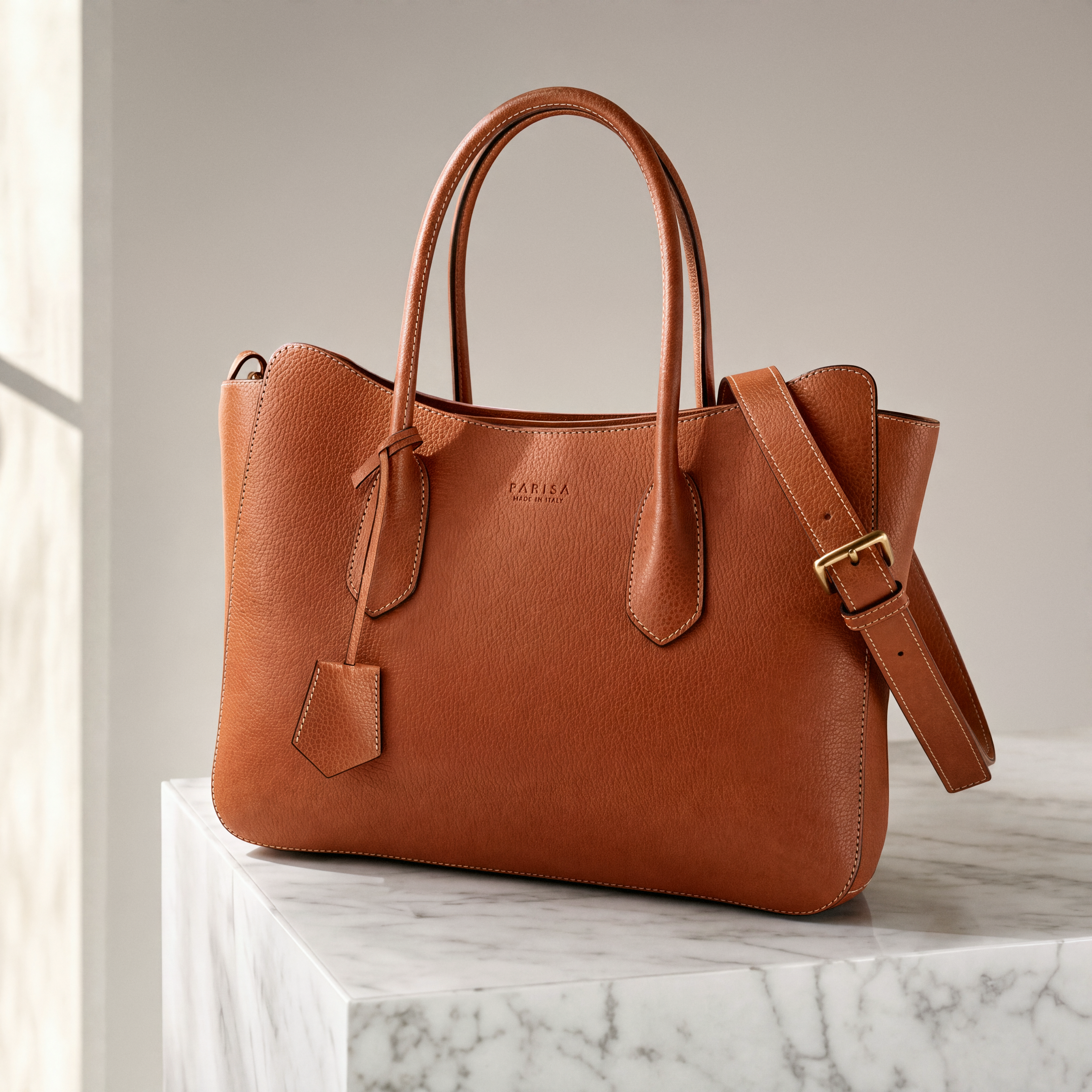 plnty cleanup
Loading comparison…Image could not load. Open its PNG under Inspect files.
Loading comparison…Image could not load. Open its PNG under Inspect files.
Inspect files 100% view & native PNGs
Complete saved prototype result, including its finishing stages; this is not a surface-only comparison. Selected product-specific repeat, run 2 of 2. Two successful repeats do not establish reliable text preservation.
Close-ups use 16:9 windows around matching detail locations, widened with surrounding source pixels and shifted inward at image edges. Reconstruction can move or redraw details; these views are not registered.
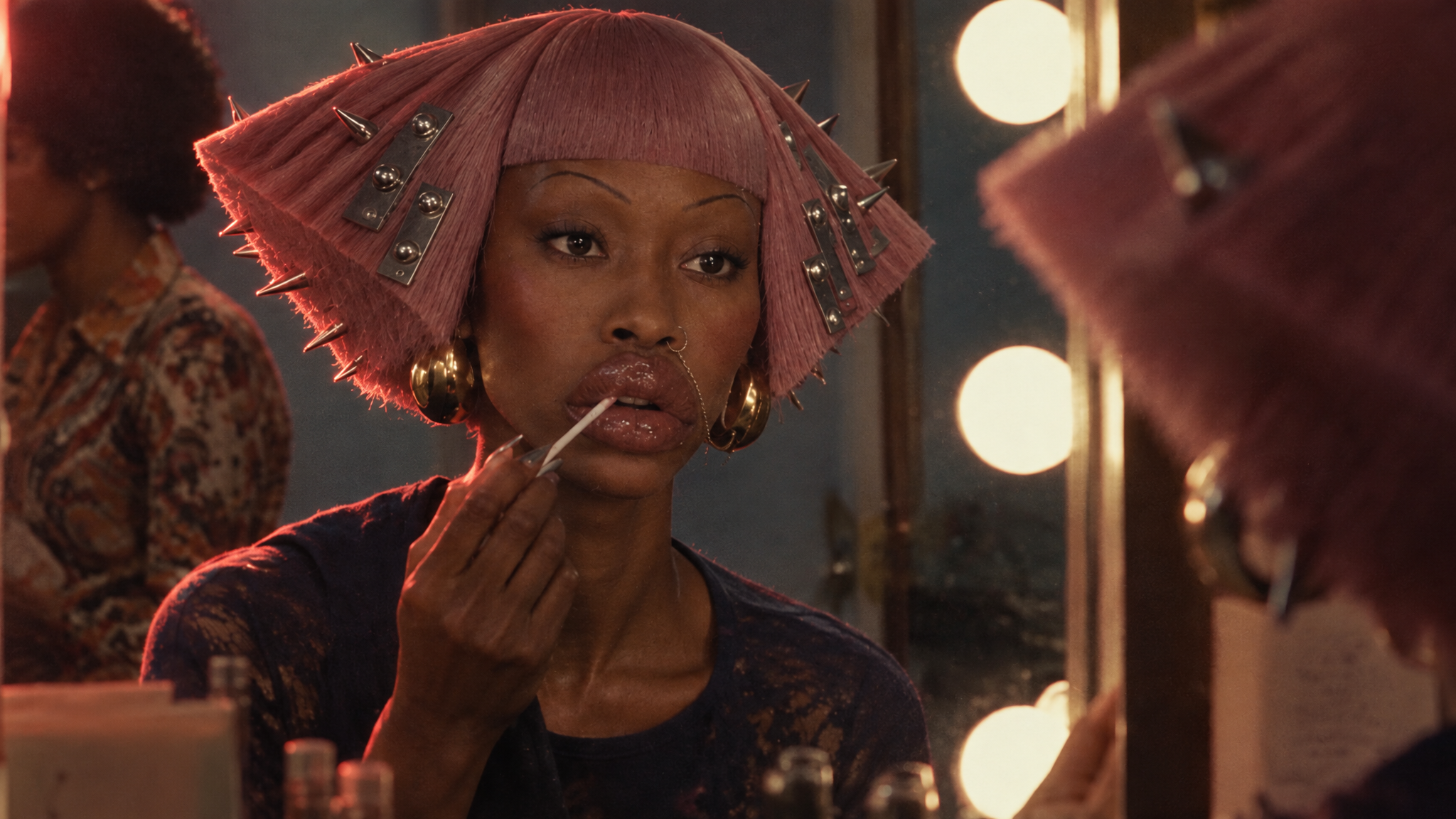 Original
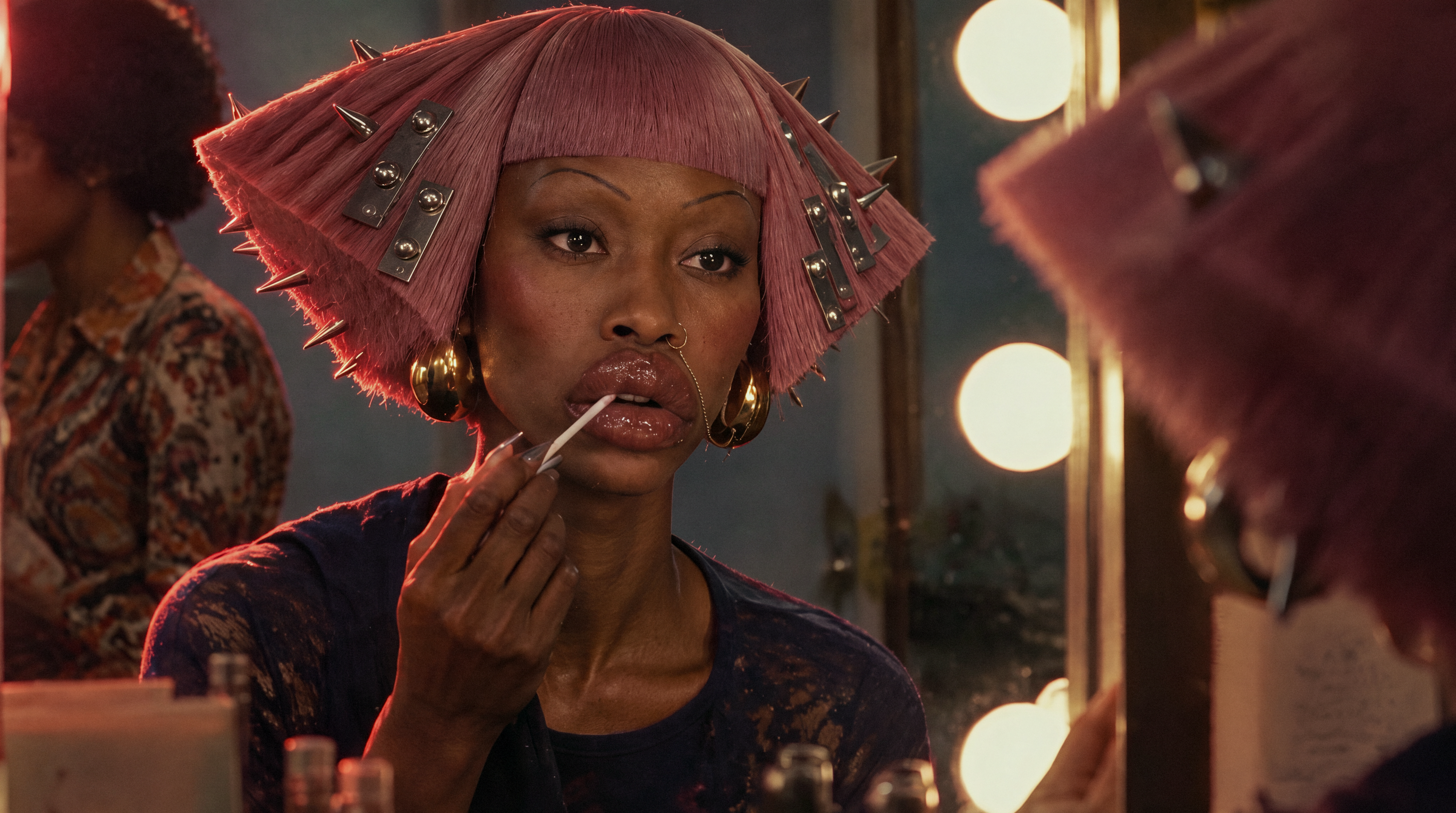 plnty cleanup
Loading comparison…Image could not load. Open its PNG under Inspect files.
Loading comparison…Image could not load. Open its PNG under Inspect files.
Inspect files 100% view & native PNGs
Complete saved prototype result, including its finishing stages; this is not a surface-only comparison. No surface mask was found. The final includes light grain.
Close-ups use 16:9 windows around matching detail locations, widened with surrounding source pixels and shifted inward at image edges. Reconstruction can move or redraw details; these views are not registered.
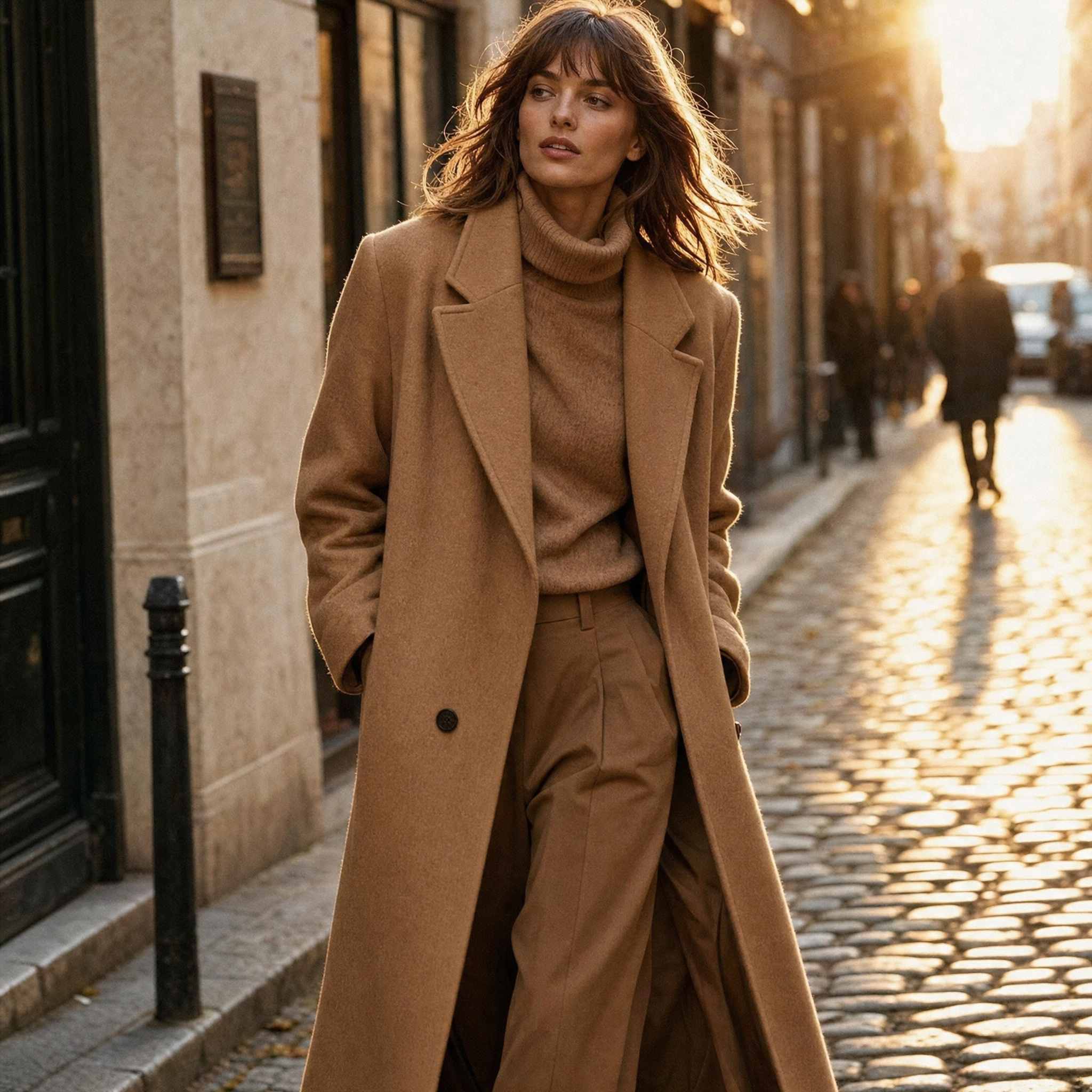 Original
 plnty cleanup
Loading comparison…Image could not load. Open its PNG under Inspect files.
Loading comparison…Image could not load. Open its PNG under Inspect files.
Inspect files 100% view & native PNGs
Complete saved prototype result, including its finishing stages; this is not a surface-only comparison. The candidate surface was too small; no surface was changed. The final includes light grain.
Close-ups use 16:9 windows around matching detail locations, widened with surrounding source pixels and shifted inward at image edges. Reconstruction can move or redraw details; these views are not registered.
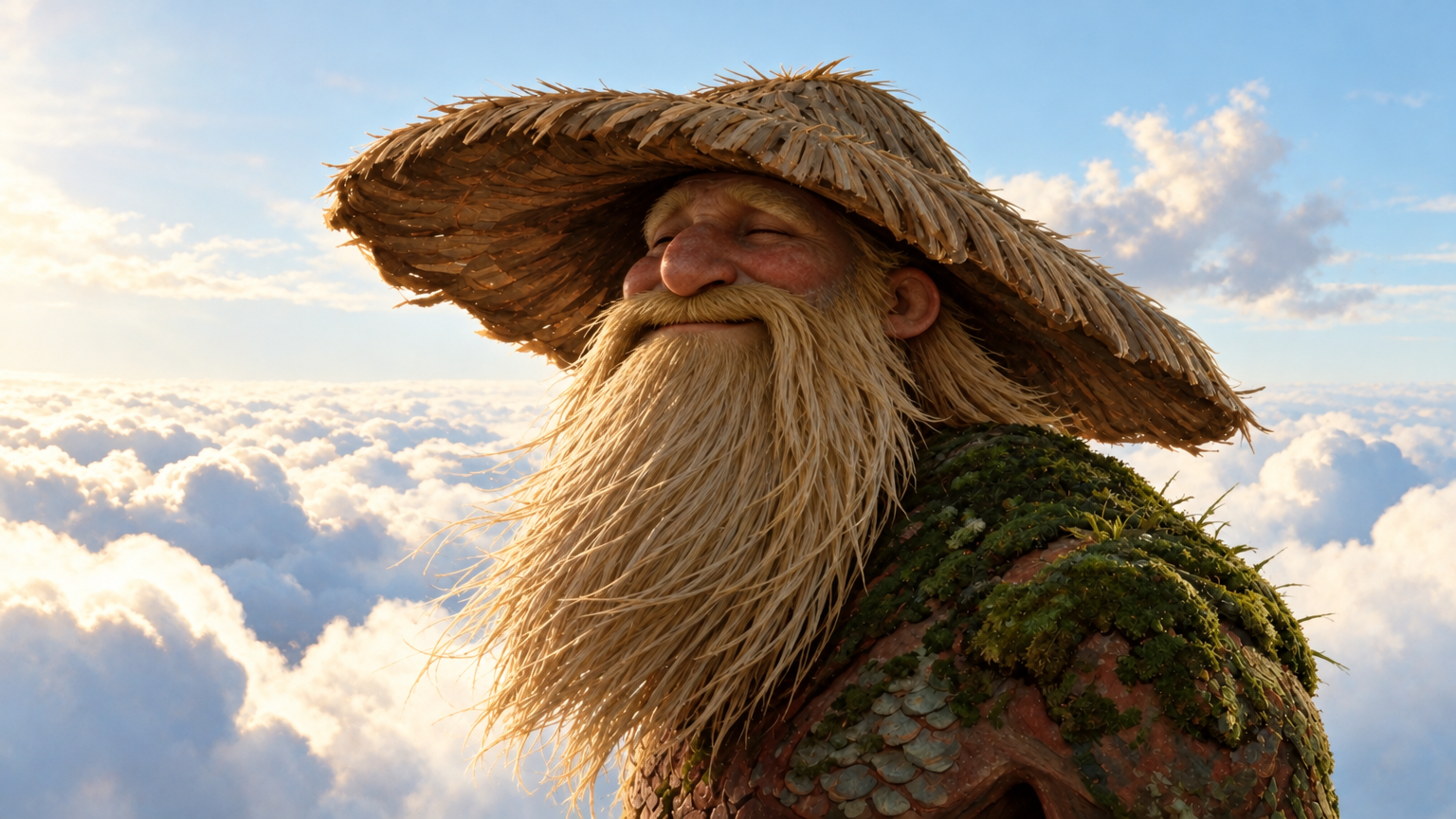 Original
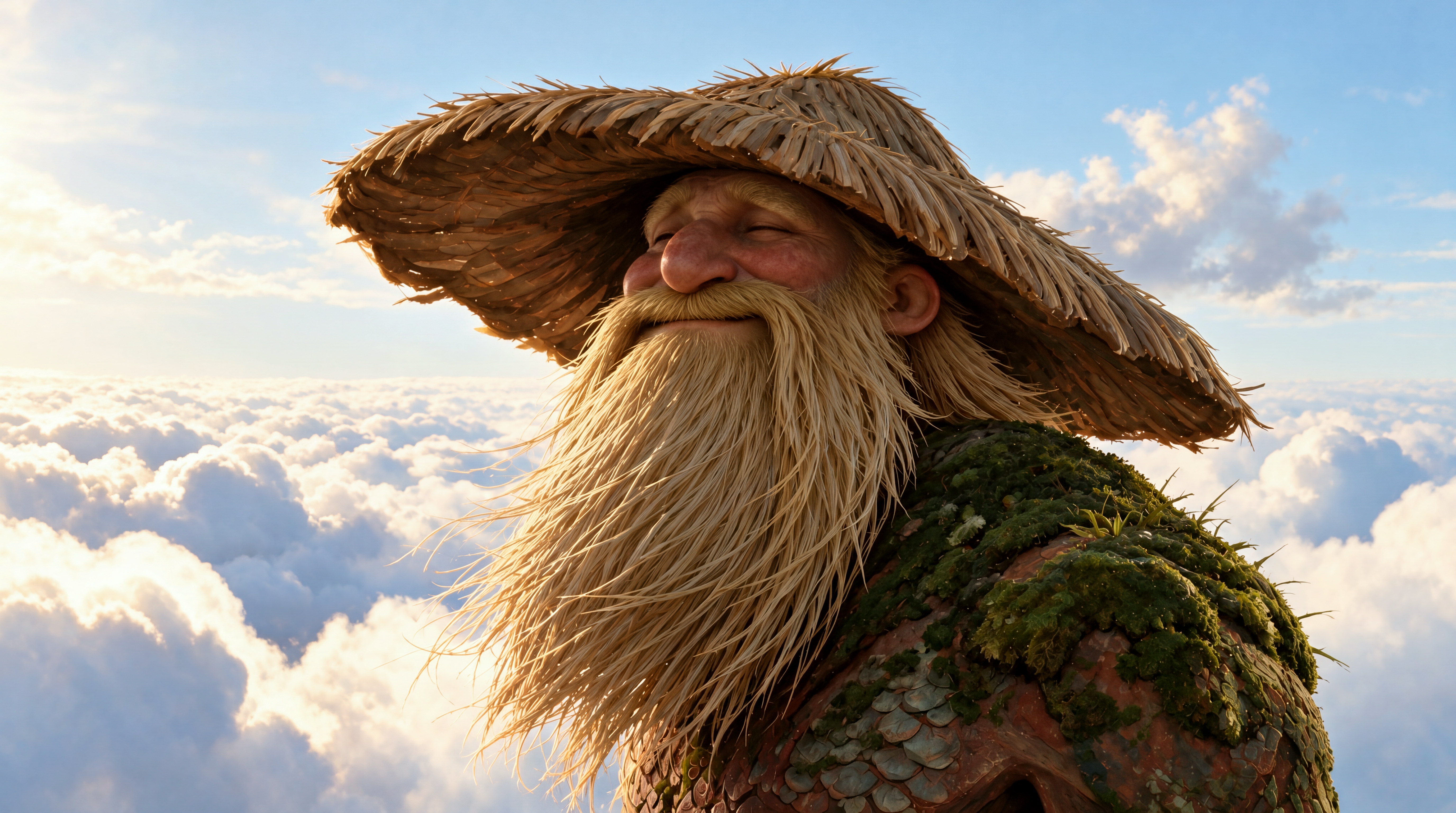 plnty cleanup
Loading comparison…Image could not load. Open its PNG under Inspect files.
Loading comparison…Image could not load. Open its PNG under Inspect files.
Inspect files 100% view & native PNGs
Complete saved prototype result, including its finishing stages; this is not a surface-only comparison. The final is pixel-identical to the earlier conservative cleanup. No surface or grain step was applied.
Close-ups use 16:9 windows around matching detail locations, widened with surrounding source pixels and shifted inward at image edges. Reconstruction can move or redraw details; these views are not registered.
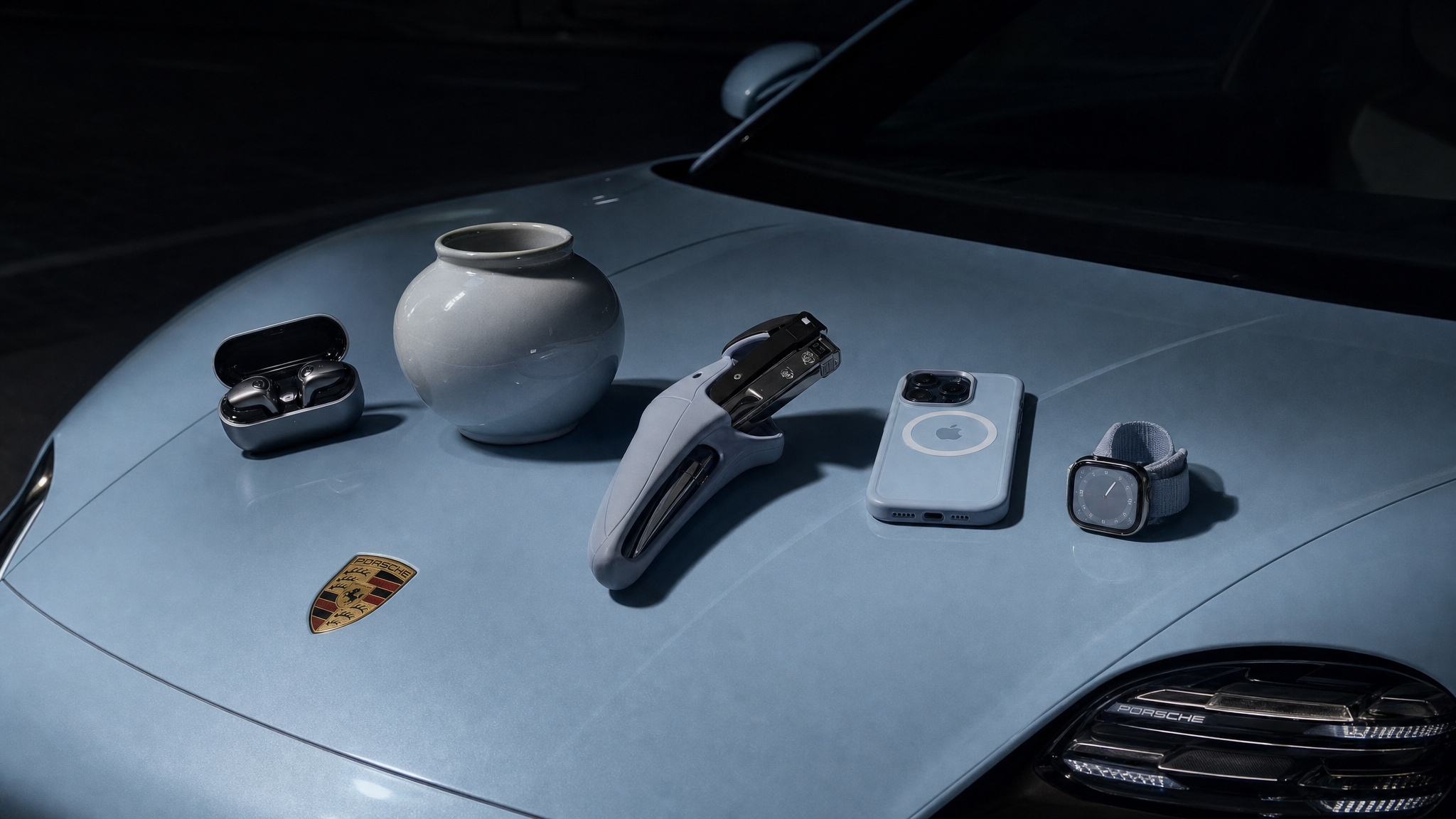 Original
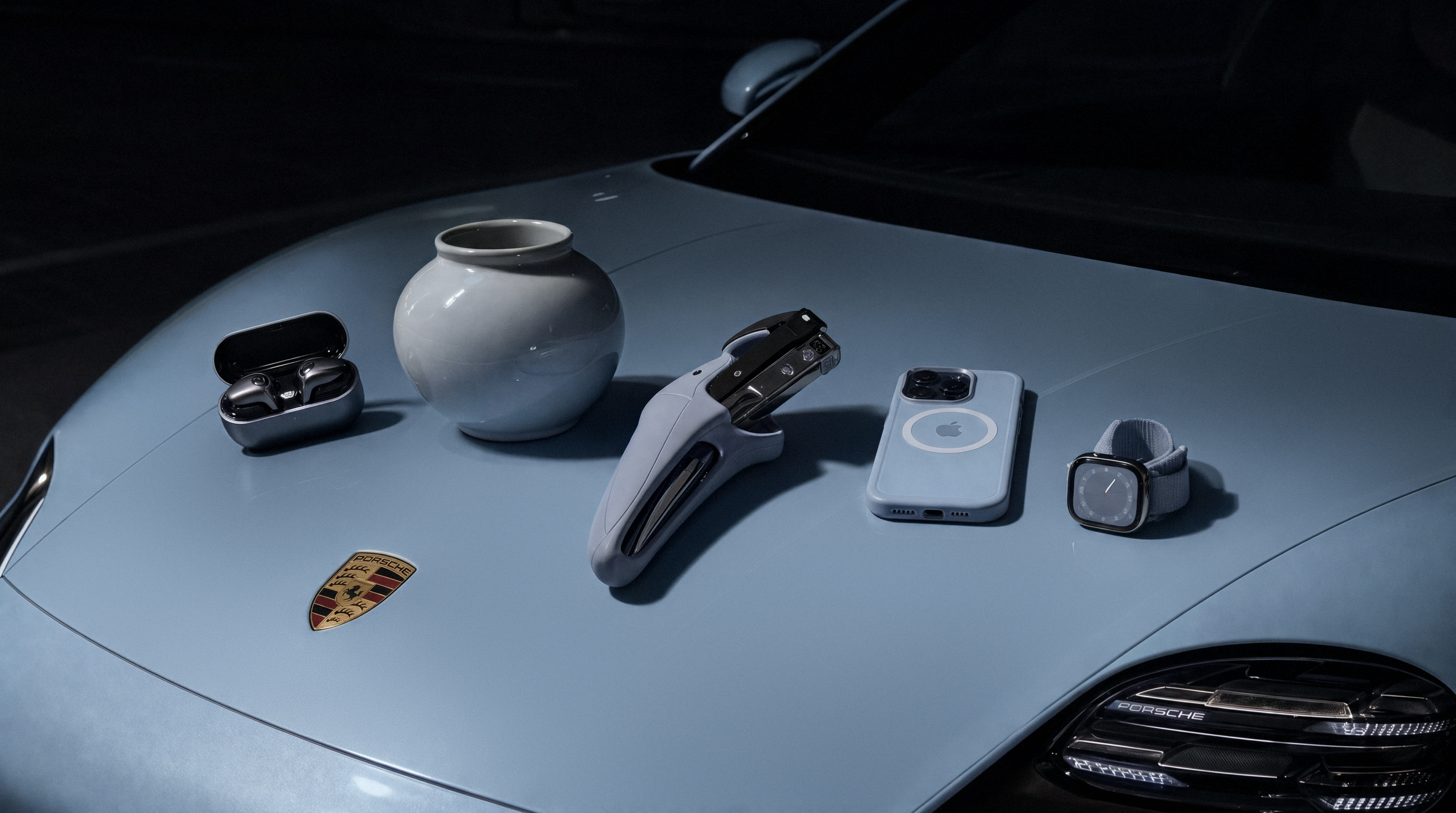 plnty cleanup
Loading comparison…Image could not load. Open its PNG under Inspect files.
Loading comparison…Image could not load. Open its PNG under Inspect files.
Inspect files 100% view & native PNGs
Complete saved prototype result, including its finishing stages; this is not a surface-only comparison. The hood received the surface step, followed by light grain.
Close-ups use 16:9 windows around matching detail locations, widened with surrounding source pixels and shifted inward at image edges. Reconstruction can move or redraw details; these views are not registered.
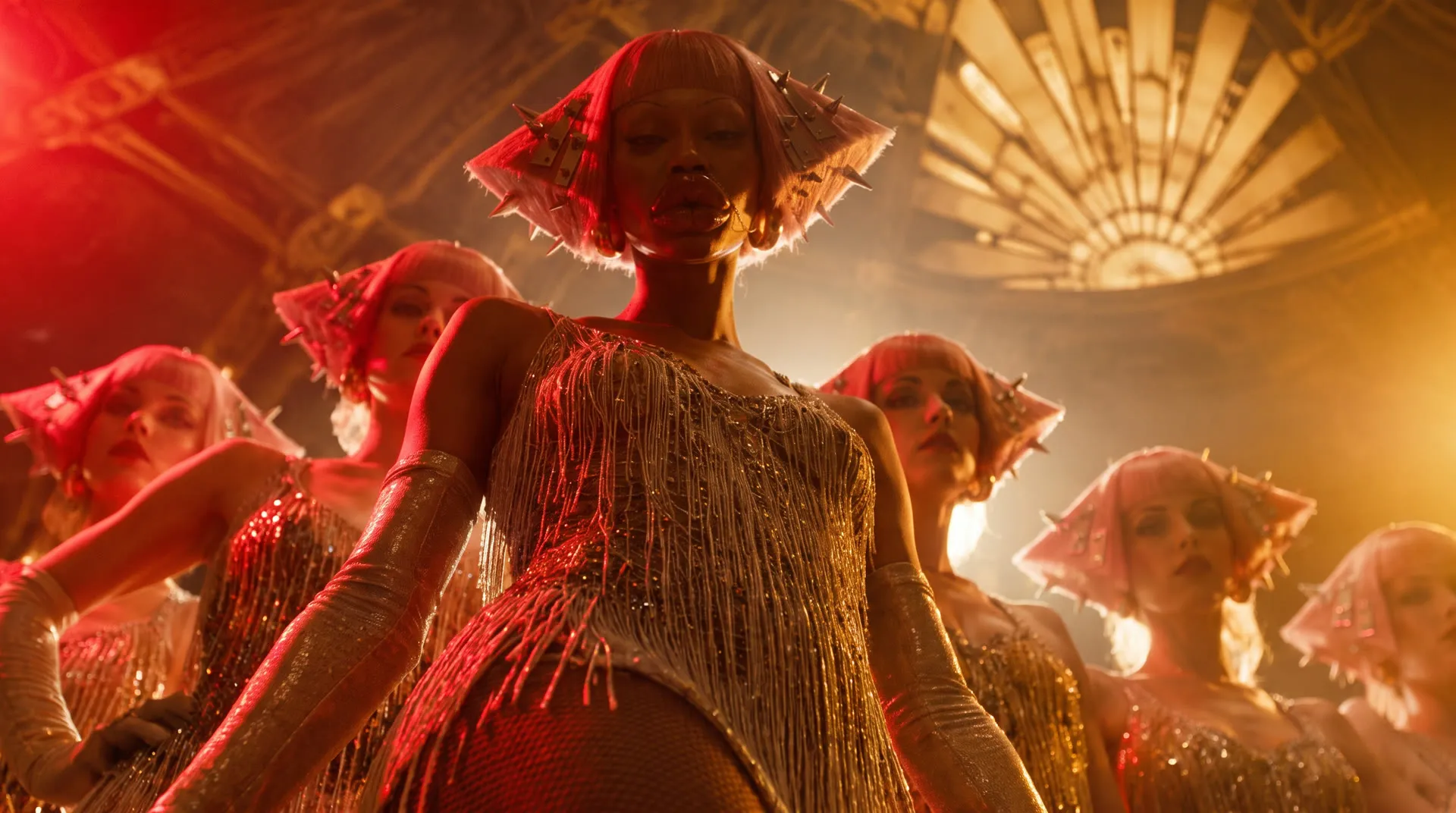
Eight development tests, from clothing and leather to food and clouds. Each opens on a close-up; drag the divider or choose Full image for context. These are saved prototype results; the methods explain how they differ from the browser implementation.
Our cleanup reconstructs an image, anchors its palette and treats selected surfaces. Here is the signal we measured, why subtracting it wasn't enough, and how we check what survives.
01 / Problem
A good image with the wrong surface
People describing GPT Image 2 texture artifacts on Reddit call them tiling and grime, repeating noise patterns and weird texture. The composition works, but a surface that should look clean appears dirty. Generating again risks losing the image you liked.
We wanted to keep GPT Image’s creative choices. Fifteen staff comparisons with other generators, using the same briefs and references, produced different creative decisions. We made cleanup a separate operation on the chosen image.
From Yam
It was quite shocking to see how consistently this grain pattern appears, and solving it was quite challenging. The ability to analyze such a large amount of imagery and iterate on different techniques allowed us to solve it.
02 / Signal
Measure the pattern, then test what it explains
In our GPT sample, median T₂ was 3,474, compared with about 15 across four pooled comparison families. This score measures energy in three two-pixel patterns: horizontal, vertical and diagonal alternation.
Convert RGB to luma Y and subtract a Gaussian blur to get the fine residual r. Alternating the sign of r across rows and columns lets a consistent even/odd preference accumulate. Measure at native resolution; resizing can suppress or shift it.
All sums run over every pixel of an even-sized image.
Subtracting the pattern barely changed the image
On an even-sized image, these three patterns are orthogonal. Projecting r onto them gives a periodic component P we can subtract directly.
In the car control, it accounts for only 0.6684% of the residual energy. Subtraction dropped T₂ from 5,256.69 to 0.064, but changed no channel by more than 0.755 on a 0–255 scale. The cloudy finish remained. We needed to treat reconstruction, color and broader surface variation separately.
Inspect the periodic-subtraction control ↗
Original input · I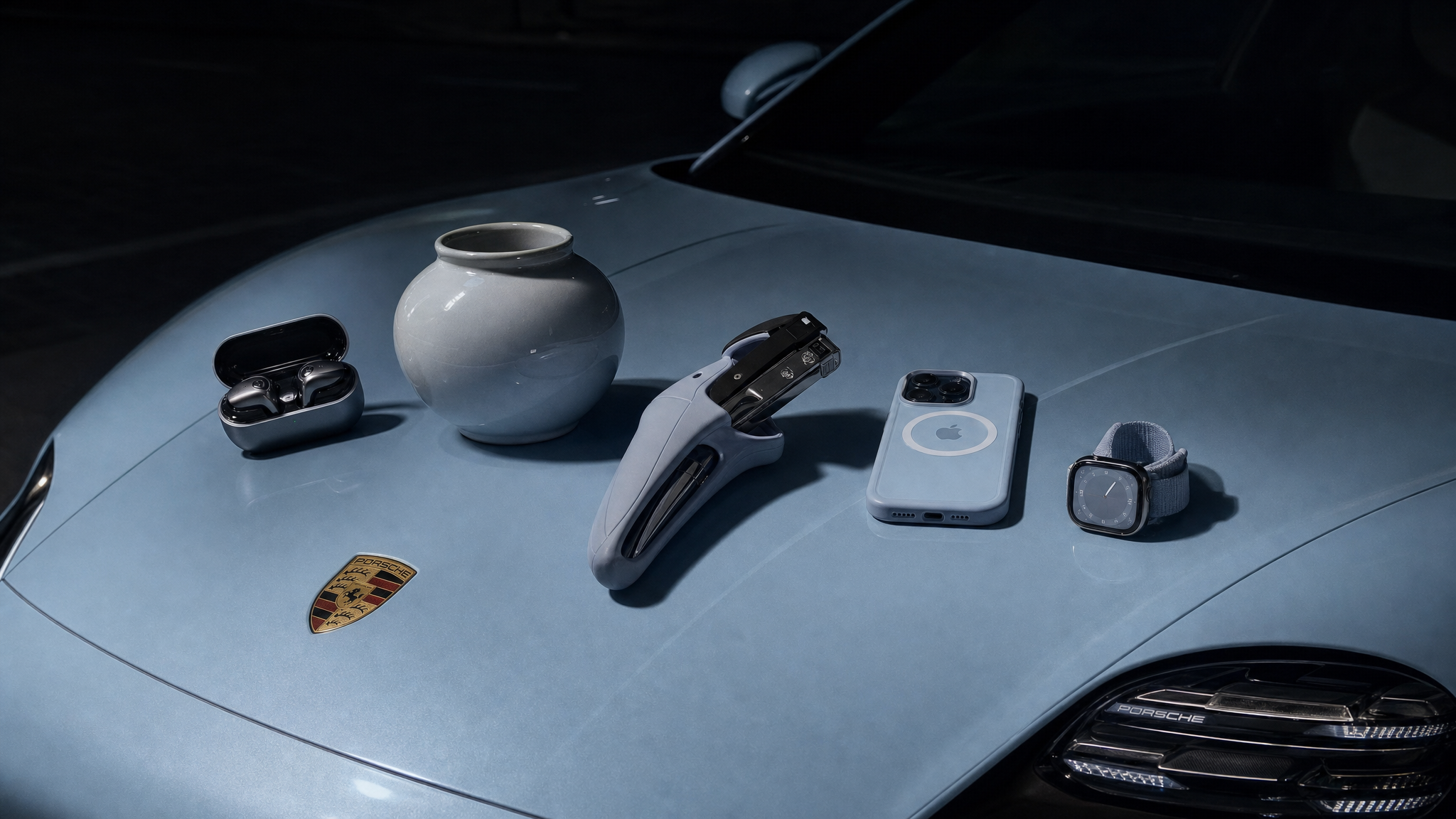 Periodic component subtracted · 16-bit PNG
Loading comparison…Image could not load. Open its PNG under Inspect files.
Loading comparison…Image could not load. Open its PNG under Inspect files.
Inspect files 100% view & native PNGs
Only the measured two-pixel component is subtracted. No reconstruction, color correction, surface filtering or grain is applied.
Close-ups use 16:9 windows around matching detail locations, widened with surrounding source pixels and shifted inward at image edges. Reconstruction can move or redraw details; these views are not registered.
Inspect the subtraction control
03 / Solution
Four operations, with different jobs
The opening formula reads from the inside out. First, ℛ reconstructs the image according to its kind k: a product’s lettering and leather need different constraints from skin, clothing or an illustrated cloud scene. This learned step produces J₁. Its model and instructions remain private.
The remaining operations constrain its result. The compact pass gallery below follows one saved car sequence; every output becomes the next pass’s input. The varied scenes in the opening gallery show the complete treatment.
Anchor the palette
Reconstruction can shift color. Copying a blurred source-minus-result image back onto it can also restore displaced edges as ghosts.
Instead, we fit one affine RGB map from corresponding blurred samples, excluding strong edges. Regularization pulls the map toward identity; a bound limits its largest color shift. A poor broad-image match skips the step. J₂ keeps the reconstructed geometry while its palette moves toward the source.
Select the surface before smoothing it
The hood can need smoothing while the camera, badge and vase do not. An image read proposes smooth surfaces, segmentation supplies masks, and size and texture checks reject unsuitable regions.
M combines the accepted regions. E pulls their boundaries inward; Gaussian feathering produces the blend weight m. The saved mask and lilac overlay in the Surface pass show where that correction applies.
Separate broad blotches from fine texture
For the reduced-resolution Lab image C, a Gaussian split separates broad variation B from the fine remainder D. Three self-guided filters, from smaller to larger neighborhoods, process B while holding D aside. Their regularization adapts to calmer pixels within the accepted regions.
Recombine, convert the change to RGB, enlarge it, then blend through m. This equation describes the browser implementation. The saved prototype uses a related Lab-space blend; the two are not pixel-equivalent.
Original input · I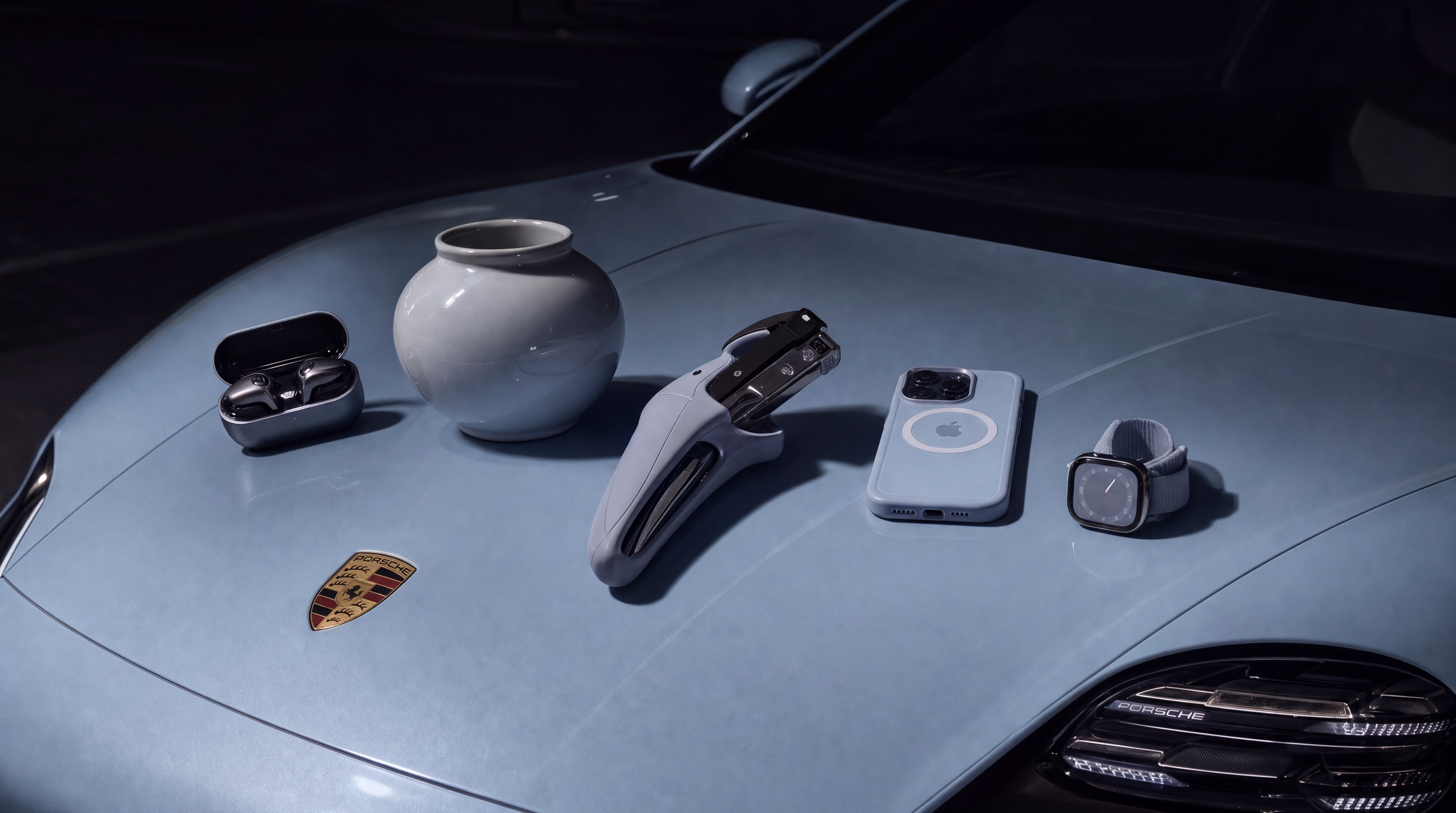 Raw reconstruction · J₁
Loading comparison…Image could not load. Open its PNG under Inspect files.
Loading comparison…Image could not load. Open its PNG under Inspect files.
Inspect files 100% view & native PNGs
The saved model output before color anchoring, surface filtering or camera grain. Reconstruction changes resolution and can redraw fine detail; it is not a deterministic filter.
Close-ups use 16:9 windows around matching detail locations, widened with surrounding source pixels and shifted inward at image edges. Reconstruction can move or redraw details; these views are not registered.
Raw reconstruction · J₁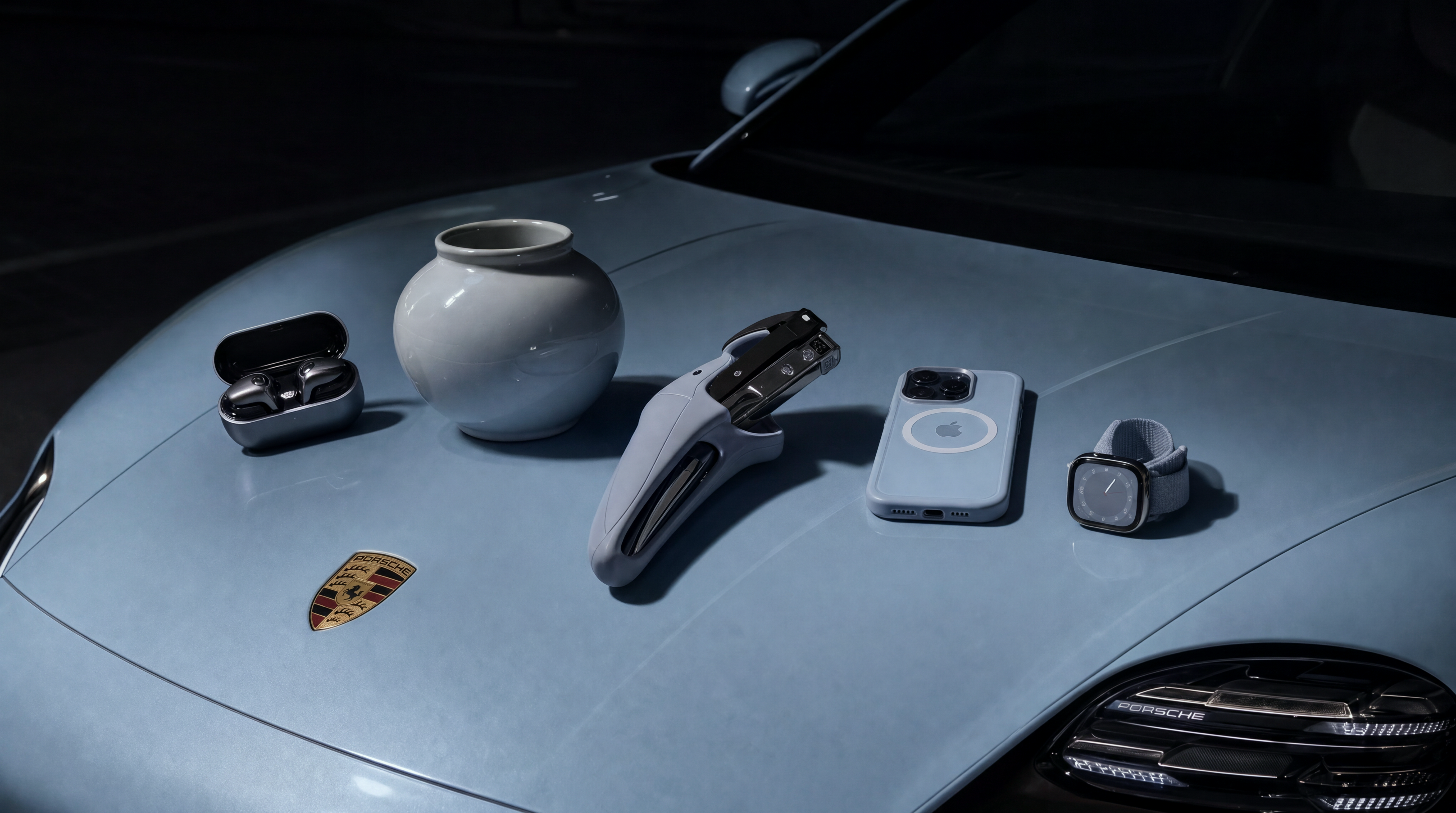 Color corrected · J₂
Loading comparison…Image could not load. Open its PNG under Inspect files.
Loading comparison…Image could not load. Open its PNG under Inspect files.
Inspect files 100% view & native PNGs
Exactly the same reconstruction before and after the global RGB map. The prototype replay reproduces the saved color-corrected file pixel for pixel. This example uses the fitted map without activating its displacement cap.
Close-ups use 16:9 windows around matching detail locations, widened with surrounding source pixels and shifted inward at image edges. Reconstruction can move or redraw details; these views are not registered.
Color corrected · J₂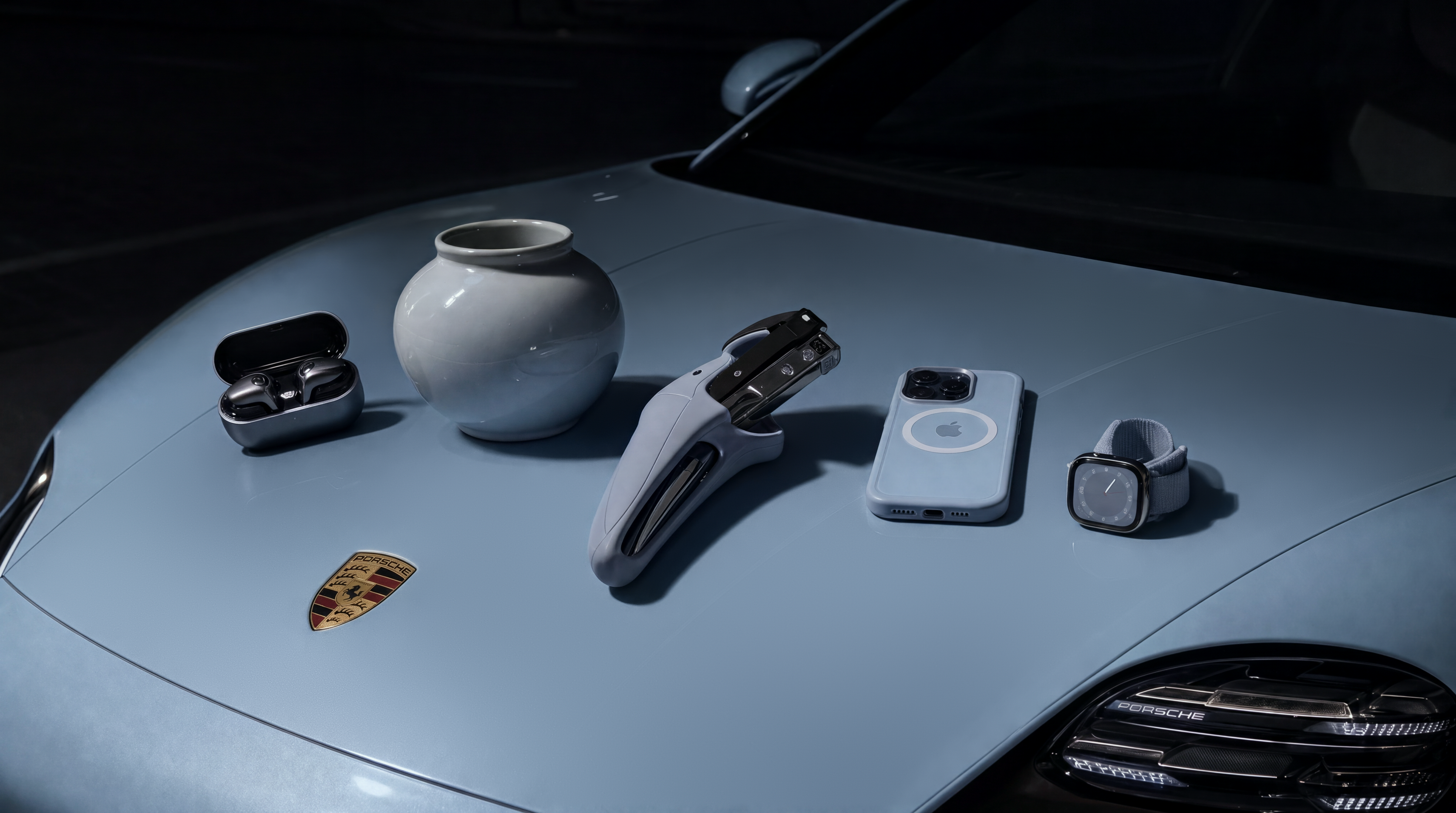 Surface filtered · J₃
Loading comparison…Image could not load. Open its PNG under Inspect files.
Loading comparison…Image could not load. Open its PNG under Inspect files.
Inspect files 100% view & native PNGs
Same saved base, before and after the masked surface filter. No redraw, color refit or grain between these two files. The local prototype reproduces the saved result pixel for pixel.
Close-ups use 16:9 windows around matching detail locations, widened with surrounding source pixels and shifted inward at image edges. Reconstruction can move or redraw details; these views are not registered.
Loading the mask…The mask could not load. Use its PNG link.

Black: no surface correction. White: full correction. Gray: a feathered blend. Lilac is an explanatory overlay. Download mask ↗
After surface filtering · J₃Final photographic finish · J₄Loading comparison…Image could not load. Open its PNG under Inspect files.
Loading comparison…Image could not load. Open its PNG under Inspect files.
Inspect files 100% view & native PNGs
The saved surface-filtered image with and without the final camera-style grain. The prototype replay reproduces the finished file pixel for pixel. No additional reconstruction or surface filtering occurs between these files.
Close-ups use 16:9 windows around matching detail locations, widened with surrounding source pixels and shifted inward at image edges. Reconstruction can move or redraw details; these views are not registered.
One continuous sequence. Choose a pass to isolate its contribution; Surface also shows the saved blend mask.
Finish with controlled fine grain
Photographs and products receive a light camera-style finish; renders and illustrations skip it. It adds channel-shared grain gL and smaller chromatic variation gC, with strength reduced toward highlights.
The Finish tab isolates J₃ → J₄. Inspect the close-up or native pixels: the change is subtle at page scale and applies across the frame, including outside the surface mask.
04 / Limits
A cleaner bag can still be the wrong bag
The general photographic treatment thinned the bag’s strap and coarsened its leather. Product constraints improved those features in two subsequent runs. Compare the two treatments below: they share an input but are separate reconstructions.
Small lettering remains difficult. One apparently preserved “MADE IN ITALY” read “MADT IN ITALY.” The general treatment garbled the line in three tests; the product treatment preserved it in two. Four text-repair approaches introduced softer patches, coarser leather or new letter errors, so automatic text repair was excluded.
Original supplied image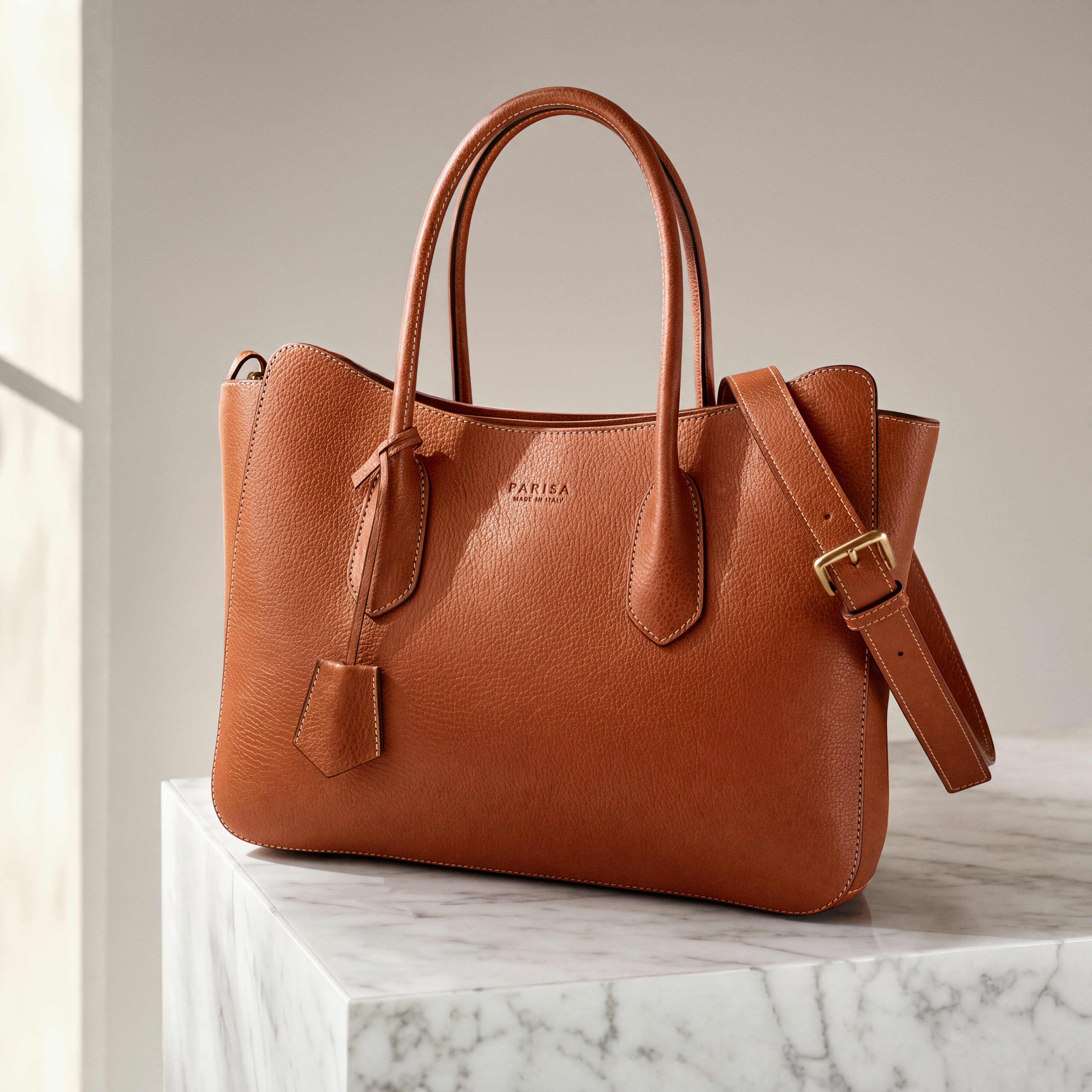 Rejected general treatment
Loading comparison…Image could not load. Open its PNG under Inspect files.
Loading comparison…Image could not load. Open its PNG under Inspect files.
Inspect files 100% view & native PNGs
The general photographic treatment changed the strap and leather grain and failed to preserve the small lettering. The selected product-specific repeat is a separate case. This comparison changes the main render as well as its finishing stages.
Close-ups use 16:9 windows around matching detail locations, widened with surrounding source pixels and shifted inward at image edges. Reconstruction can move or redraw details; these views are not registered.
Original supplied imageComplete prototype resultLoading comparison…Image could not load. Open its PNG under Inspect files.
Loading comparison…Image could not load. Open its PNG under Inspect files.
Inspect files 100% view & native PNGs
Complete saved prototype result, including its finishing stages; this is not a surface-only comparison. Selected product-specific repeat, run 2 of 2. Two successful repeats do not establish reliable text preservation.
Close-ups use 16:9 windows around matching detail locations, widened with surrounding source pixels and shifted inward at image edges. Reconstruction can move or redraw details; these views are not registered.
The same bag under two reconstruction treatments. Inspect the strap, leather and lettering.
Reject repairs that change the object
Optional Fix small details reconstructs local crops, aligns them and blends accepted changes back after color correction. It is off by default.
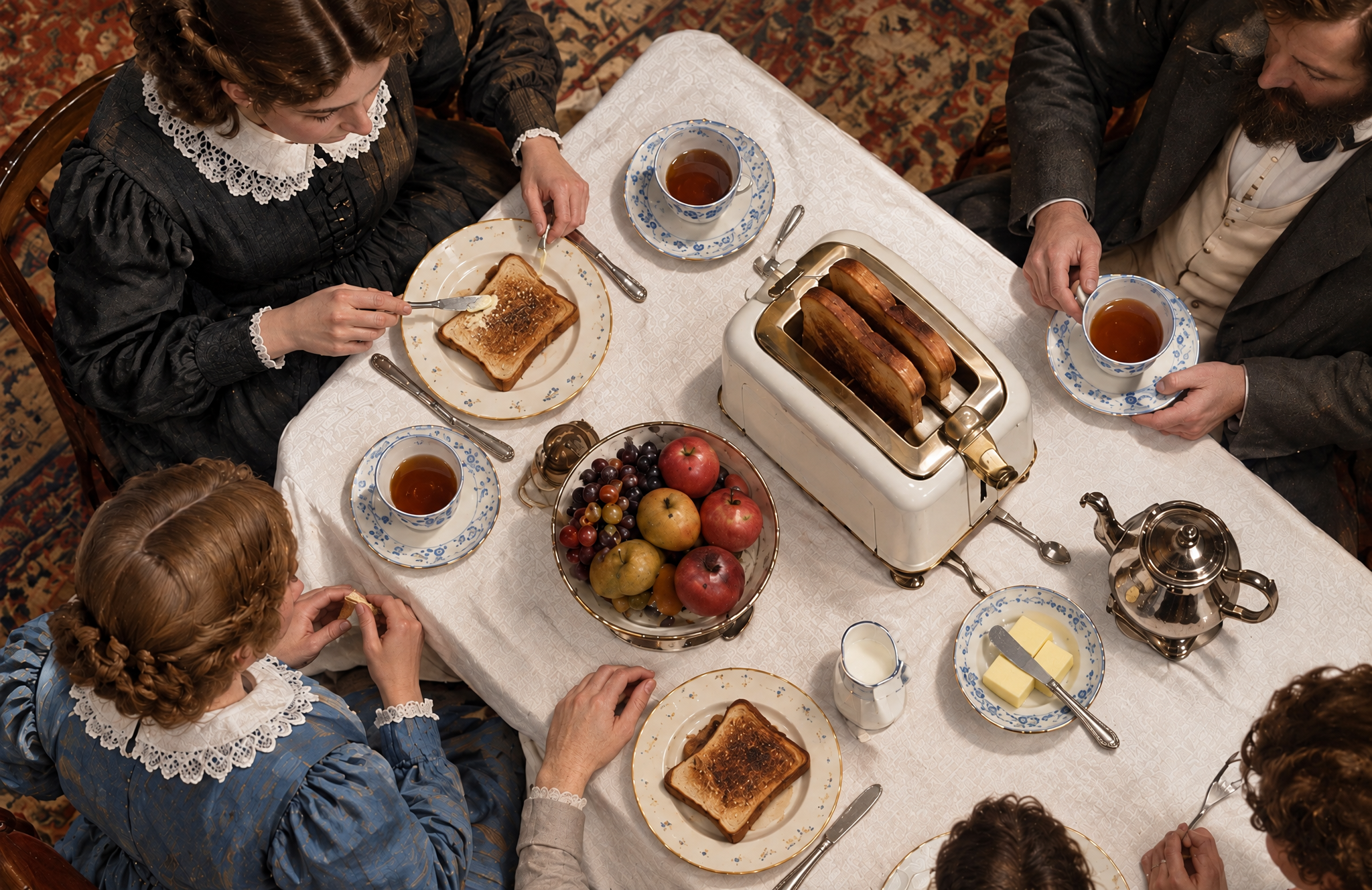
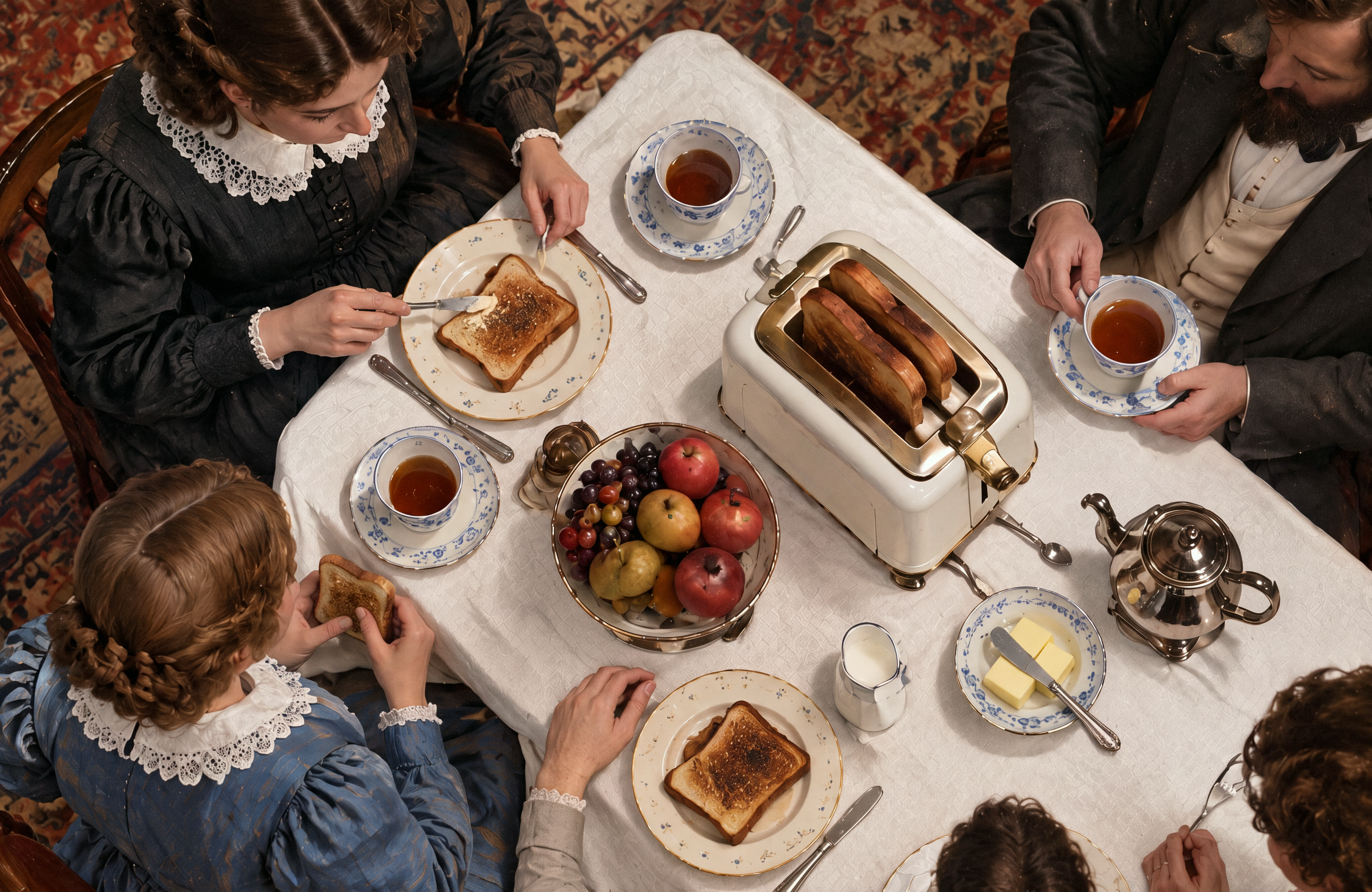
Across nine selected spots on the car, cowgirl and family table, some attempts helped a fork, watch face or crest; others changed little. Two changed the object: a shaker became a glass, and a toaster lever became a different mechanism. An appearance-similarity check rejected those two and accepted seven. Acceptance is not proof of a successful repair.
The family gallery compares unguarded and guarded repairs against the same result without repairs. Each received the same grain procedure afterward.
Complete result without detail repairs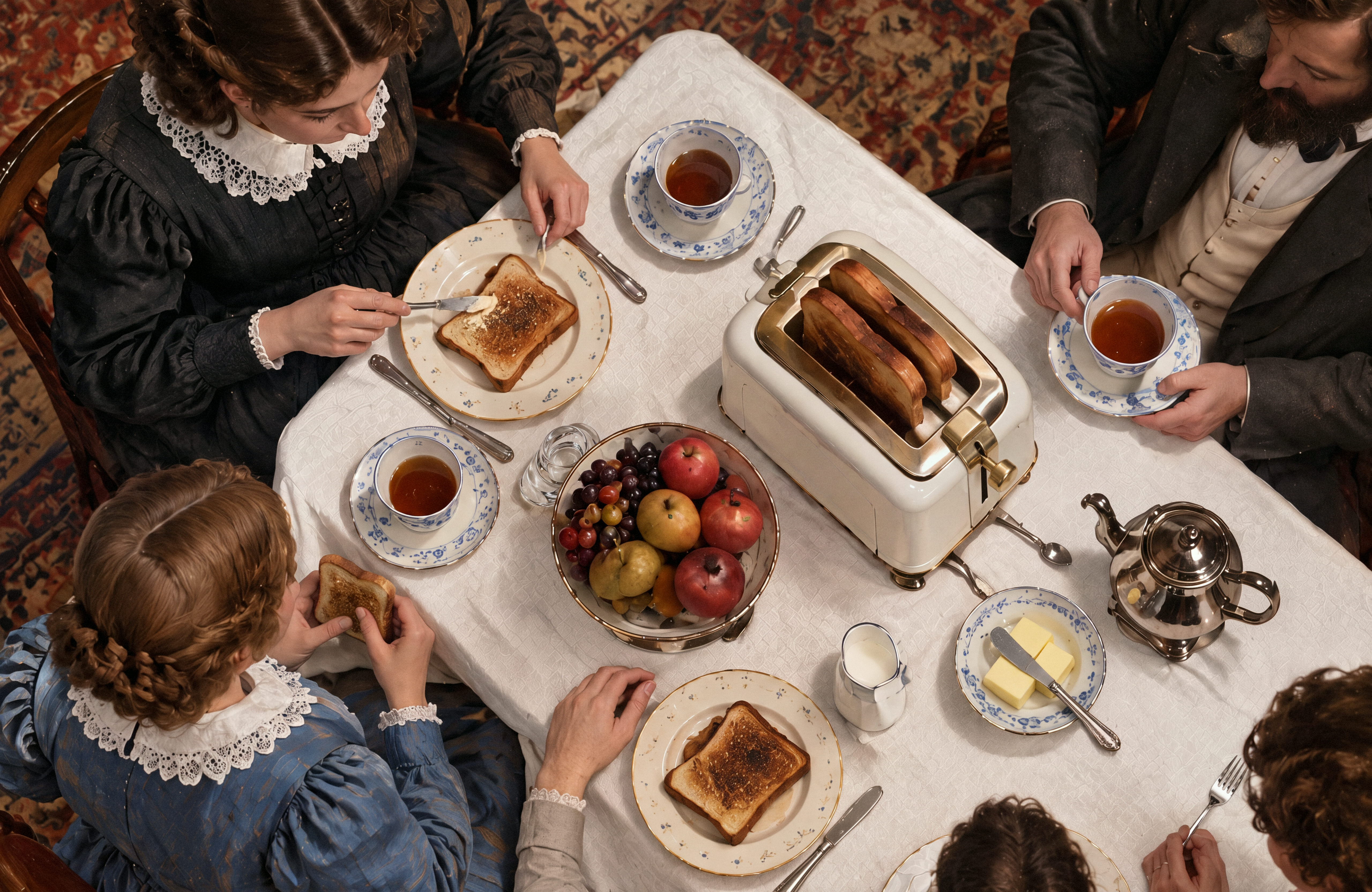 Unguarded detail repairs
Loading comparison…Image could not load. Open its PNG under Inspect files.
Loading comparison…Image could not load. Open its PNG under Inspect files.
Inspect files 100% view & native PNGs
The shaker became a glass and the toaster lever became a different mechanism. These failed repairs explain the rejection check. The outputs include their final grain.
Close-ups use 16:9 windows around matching detail locations, widened with surrounding source pixels and shifted inward at image edges. Reconstruction can move or redraw details; these views are not registered.
Complete result without detail repairs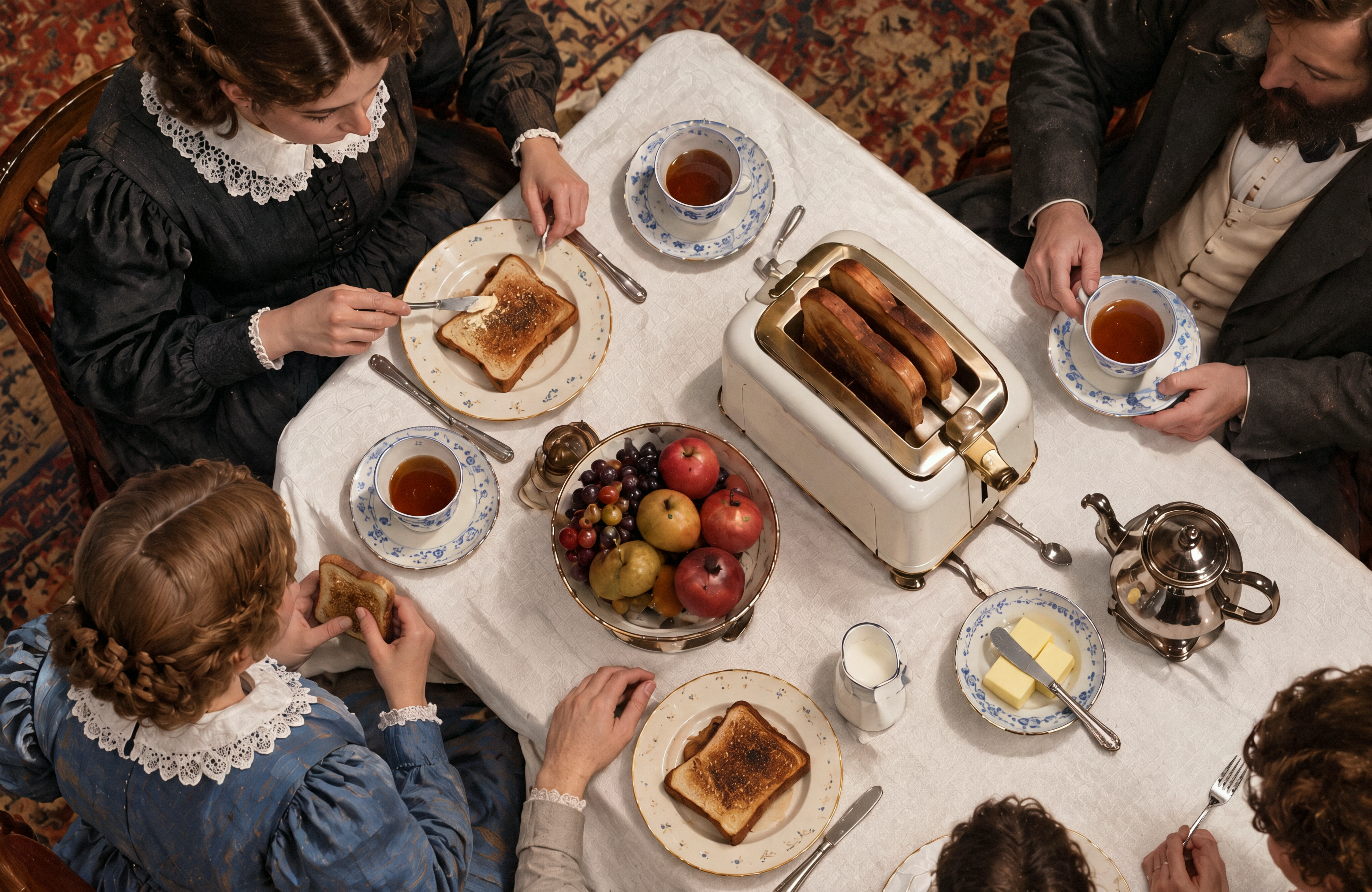 Guarded detail repairs
Loading comparison…Image could not load. Open its PNG under Inspect files.
Loading comparison…Image could not load. Open its PNG under Inspect files.
Inspect files 100% view & native PNGs
The fork repair was retained. The shaker and toaster-lever repairs were rejected because they changed the objects. These outputs include their final grain; this is not a surface-filter ablation.
Close-ups use 16:9 windows around matching detail locations, widened with surrounding source pixels and shifted inward at image edges. Reconstruction can move or redraw details; these views are not registered.
Compare the shaker, toaster lever and fork. The guard rejects two object-changing repairs.
Measure whether detail stays in place
Differences of Gaussian blurs isolate fine and broader bands. Correlation ρ measures pattern agreement; q measures variation strength. A sharp result can still move detail.
In the subtraction control, qf = 0.9902 and ρf = 0.9876 on the original’s calm-region mask Ω, consistent with its barely changed appearance. These evaluate the control, not the learned cleanup’s success rate.
Ω is the original’s calm-region mask, shared by both fine-band measurements.
What caused it?
The signal does not identify a stage inside GPT Image. Checkerboard analysis and neighboring-pixel research show how upsampling can leave periodic traces. GPT-ImgEval proposed internal super-resolution for an earlier GPT-4o model’s sharpening behavior. These are leads to investigate, not evidence of Image 2’s architecture or intent.
Questions about GPT Image 2 grain
Can you fix GPT Image 2 grain with prompts or a new chat?
The community reports are mixed. Some people describe improvement; others see the texture in a new chat or after explicitly asking for a smooth result. These selected reports do not establish a dependable prompt fix. Our tests work on the image already generated.
Is the grime a watermark?
Our measurements do not establish that. OpenAI describes an imperceptible, content-specific watermark in its Image 2 system card, and discusses SynthID and provenance. Neither source connects it to the visible dirty texture.
Can you remove grain without losing image detail?
That is the tradeoff to inspect. Reconstruction can alter small text, objects and material structure. Color limits, selective masks and crop-rejection checks reduce specific failure modes; they do not guarantee preservation. The full-image comparisons and close-ups let you judge the changes.
Measurements, sources and limits
Measurements, sources and limits
Measured sample. We read 58,429 of 58,430 listed images; one was unreadable. The GPT subset contains 25,599 Image 2 and 12,109 Image 2.5 outputs from 982 people, dated May 2–October 23, 2026. No customer images from that measured sample appear here. The displayed experiments mix our generated fixtures and team test material; they are not a GPT-only source dataset.
Period-2 measurement. Native-size luma, Gaussian σ = 1.5, even dimensions and the three parity sums defined above. The representative cell is the component-wise median of 37,707 individually normalized cells. The 97.4% figure counts positive horizontal and vertical sums in the same global pixel phase. The score depends on image dimensions, filtering and content; it does not identify architecture, intent or watermarking.
Car subtraction control. The source is 2,048 × 1,152. We estimate its zero-mean 2 × 2 residual cell, tile it, subtract it equally from all RGB channels, clip and export a 16-bit PNG. Measurements are repeated on the decoded export. T₂ falls from 5,256.691161 to 0.063617624; the removed residual-energy fraction is 0.006684228466. The largest channel change is 0.754864 on a 0–255 scale. The fine-band mask uses the original’s lower half of σ = 4 gradient magnitudes at native resolution. Fine-band strength ratio is 0.990234 and correlation 0.987553. Thirty-two synthetic Gaussian-noise controls and projection identity checks pass; this is a diagnostic control, not calibration on natural images.
Displayed development results. Eight subjects from the fourteen-subject October 26 prototype round are shown. The opening gallery contains family table, cowgirl, still life, bag, wig, street fashion, cloud scene and car. The car’s saved files form one continuous chain from raw reconstruction through color correction, surface filtering and grain. Replaying the color and grain operations reproduces the saved files pixel for pixel; the surface-only output was also independently reproduced. The color example does not activate the displacement cap. Optional detail repair is absent from this sequence. No saved intermediate image exists for each of the three internal filter scales, so those steps are represented by their equation only.
Prototype and browser implementation. The displayed final files come from Python experiments. The surface equation gives the current browser implementation: reduced-resolution Lab processing, conversion of the correction to RGB, bilinear enlargement and masked addition. The prototype splits at full resolution, filters a reduced broad band and blends a bicubically enlarged Lab correction before conversion. These implementations are related, not pixel-equivalent. The browser surface step leaves pixels outside its effective mask unchanged; the prototype’s full Lab round trip can introduce rounding changes there. Later photographic grain acts across the frame. No end-to-end browser benchmark or deployment validation is implied.
Masks and repairs. The visible car mask is the saved processed blend weight after selection, erosion and feathering, at one quarter of the result’s dimensions. The lilac overlay is a display annotation. Six of fourteen development images had at least one accepted surface region; that is not six successful cleanups. Family repair variants start from the same color-corrected base before grain. The displayed finals apply the same grain procedure after no repairs, unguarded repairs or guarded repairs. Seven of nine proposed crops across three subjects passed the guard; acceptance does not establish repair quality.
Display. Each comparison opens on a 16:9 close-up around a matching detail location. The crop includes surrounding source pixels and shifts inward at image edges; its height is reduced only when needed to fit the source width. The images are not stretched, sharpened, recolored or registered for display. Full image preserves the complete frame, with native PNG downloads and a 100% viewer. Reconstruction can change geometry and framing, so a moving edge in the slider is not by itself a filtering error. At 100%, one image pixel occupies one CSS pixel; browser zoom and display density affect physical pixels. The linked manifest lists the selected public examples.
Community evidence. Reddit and X-related sources were revisited on October 26. April reports explicitly name Image 2; the September 24 and October 14 reports describe similar symptoms without establishing a model version. These are selected firsthand reports, not a prevalence sample. The linked OpenAI Community thread embeds Boyuan Chen’s April 24 X reply; direct access to X was unavailable during this review. That historical reply does not establish what was fixed or a current commitment. No community images are reproduced.
Limits. Generated materials have no photographed ground truth. The larger measured cohort does not benchmark this cleanup pipeline. The fifteen creative-model comparisons were not blinded and used different native output sizes. Models, prompts, tuning and thresholds remain private. Our measurements do not establish the internal cause of GPT Image’s visible grime.
- Car subtraction control: measurements and source hash
- New native files, dimensions and hashes
- Reproducible period-2 detector
- Boyuan Chen reply, quoted in the community thread
- Community thread reproducing the reply and users’ attempts
- OpenAI community's Image 2 issue collection
- Reddit report of recurring Image 2 tiling
- Distill, Deconvolution and Checkerboard Artifacts
- Research on upsampling and neighboring-pixel relationships
- GPT-ImgEval, research on an earlier GPT-4o image model
- OpenAI Image 2 system card, image provenance
- OpenAI on SynthID and content provenance
- Existing open-source GPT Image 2 artifact cleaner
- Reddit: image-quality and background complaints
- Reddit: image-to-image comparison and failed prompt changes
- Reddit: enthusiasm and artifact complaints in the same thread
- Reddit: repeated nature textures and the cost of workarounds
- Reddit: odd artifacts and unverified watermark speculation
- Reddit: noise in first generations and after edits
- Reddit: weird texture, fresh-chat failures and mixed prompting results
- Reddit: reference ghosting and sequential-generation reports
- Reddit: thinking-mode suggestions and remaining texture
- He, Sun and Tang: Guided Image Filtering
- Reddit: repeating noise and overly detailed images, April 21
- Reddit: repeated surface noise during edits, September 24; model unspecified
- Reddit: dotted-pattern question, October 14; model unspecified
About the author

Inspect the finish. Keep the version you prefer.
Select an image in Plnty and run Cleanup. The original stays beside the cleaned copy.